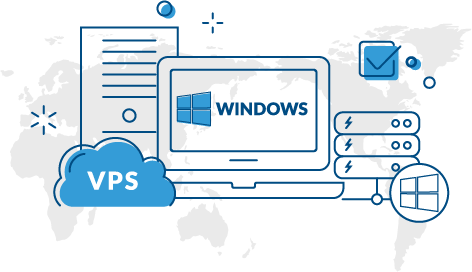
A Windows VPS is an excellent solution for businesses, developers, and website owners who need dedicated resources, flexibility, and reliable performance. However, even the most powerful Windows VPS can experience downtime if it is not properly managed. Downtime can lead to lost revenue, poor user experience, and damage to your reputation. Fortunately, there are several proactive measures you can take to minimize disruptions and keep your server running smoothly.
Understand the Common Causes of Downtime
Before you can reduce downtime on your Windows VPS, it is important to understand what causes it. Some of the most common reasons include:
- Hardware failures on the host machine
- Operating system crashes
- Software conflicts
- Security breaches and malware attacks
- Resource exhaustion such as CPU or RAM overload
- Network outages
- Human errors during server configuration
Identifying these risks allows you to implement preventive measures and maintain a stable Windows VPS environment.
Choose a Reliable Windows VPS Provider
The foundation of uptime begins with selecting a trustworthy hosting provider. Not all Windows VPS hosting services offer the same level of reliability. Look for providers that guarantee high uptime percentages, preferably 99.9% or higher.
A quality Windows VPS provider should offer:
- Enterprise-grade hardware
- Redundant power supplies
- SSD or NVMe storage
- Multiple network connections
- Regular infrastructure maintenance
- 24/7 technical support
Investing in a reputable provider significantly lowers the chances of unexpected downtime.
Keep Your Windows VPS Updated
Regular updates are essential for maintaining the health and security of your Windows VPS. Microsoft frequently releases updates that fix bugs, patch vulnerabilities, and improve system performance.
To ensure maximum uptime:
Enable Automatic Updates Carefully
Automatic updates help keep your Windows VPS secure. However, sudden restarts during peak business hours can cause service interruptions. Schedule updates during low-traffic periods to minimize impact.
Update Third-Party Applications
Applications such as web servers, databases, control panels, and security tools should also remain up to date. Outdated software often becomes a target for cyberattacks and may lead to server instability.
Monitor Server Performance Continuously
Continuous monitoring helps detect issues before they become critical. A well-monitored Windows VPS allows administrators to identify unusual resource usage and respond quickly.
Important metrics to monitor include:
- CPU utilization
- Memory consumption
- Disk usage
- Network traffic
- Response times
- Running services
Monitoring tools can send alerts when thresholds are exceeded, enabling rapid intervention before downtime occurs.
Implement Regular Backups
Backups are one of the most important safeguards for any Windows VPS. Even if downtime occurs due to hardware failure, accidental deletion, or cyberattacks, recent backups ensure that data can be restored quickly.
Create Automated Backup Schedules
Automated backups eliminate the risk of forgetting manual backups. Schedule daily or weekly backups based on the importance of your data.
Store Backups Offsite
Never rely solely on backups stored on the same Windows VPS. Use remote storage or cloud backup solutions to ensure data remains available even if the server becomes inaccessible.
Strengthen Windows VPS Security
Cybersecurity incidents are a major cause of downtime. Hackers, malware, ransomware, and distributed denial-of-service attacks can severely affect server availability.
To enhance security:
- Use strong passwords
- Enable multi-factor authentication
- Install reputable antivirus software
- Configure firewalls properly
- Disable unused services and ports
- Restrict Remote Desktop access
- Regularly review security logs
A secure Windows VPS is far less likely to experience service interruptions caused by malicious activity.
Optimize Resource Usage
Resource exhaustion is a common issue that leads to slow performance or complete service failure on a Windows VPS.
Monitor Resource Consumption
Track applications that consume excessive CPU, memory, or disk resources. Misconfigured applications often create unnecessary strain on server resources.
Upgrade Resources When Needed
If your Windows VPS consistently operates near maximum capacity, consider upgrading your plan. Increasing RAM, storage, or processing power can prevent overload situations and improve overall stability.
Remove Unnecessary Software
Unused applications consume valuable resources and may introduce security vulnerabilities. Keep your Windows VPS clean by uninstalling unnecessary programs.
Configure Redundancy Whenever Possible
Redundancy minimizes downtime by providing backup systems that take over when primary components fail.
Examples include:
- Secondary DNS servers
- Load balancing across multiple servers
- Failover clustering
- Database replication
- RAID storage configurations
Although redundancy may increase costs, it significantly improves the reliability of mission-critical Windows VPS environments.
Test Changes Before Deployment
Many outages occur because of configuration mistakes or incompatible software installations.
Before making major changes to your Windows VPS:
- Test updates in a staging environment.
- Document all configuration modifications.
- Create a backup before implementation.
- Schedule maintenance during off-peak hours.
Testing reduces the likelihood of introducing errors that could cause downtime.
Use Reliable Security and Monitoring Tools
Specialized tools can automate many aspects of Windows VPS management. Security software, intrusion detection systems, and monitoring platforms help identify problems early.
Useful categories of tools include:
- Server monitoring solutions
- Antivirus applications
- Firewall management software
- Log analysis tools
- Backup management platforms
Automation improves efficiency and allows administrators to react quickly to potential threats.
Develop a Disaster Recovery Plan
Despite taking every precaution, unexpected incidents can still occur. A disaster recovery plan ensures your organization can restore services rapidly.
An effective recovery plan should include:
- Backup locations and restoration procedures
- Emergency contact information
- Step-by-step recovery instructions
- Estimated recovery objectives
- Roles and responsibilities for administrators
Regularly testing the recovery process ensures that your Windows VPS can be restored quickly when necessary.
Schedule Preventive Maintenance
Preventive maintenance helps identify issues before they cause outages. Regular maintenance tasks for a Windows VPS include:
- Reviewing event logs
- Removing temporary files
- Checking disk health
- Verifying backup integrity
- Updating software
- Testing security measures
Routine maintenance improves performance, enhances security, and reduces the likelihood of unexpected downtime.
Conclusion
Reducing downtime on your Windows VPS requires a proactive approach that combines reliable hosting, regular updates, continuous monitoring, strong security practices, and comprehensive backup strategies. By monitoring performance, optimizing resources, implementing redundancy, and preparing for disasters, you can ensure that your Windows VPS remains stable and available. Consistent maintenance and careful planning will not only minimize interruptions but also improve overall server performance, providing users with a dependable and seamless experience.

More Stories
How to Find the Right Azure Account for Your Cloud Needs
Top Gadgets of 2026: Essential Tech Reviews for Smart Buyers
How HRSoftware.in Helps Businesses Streamline HR Operations